I wanted a tiny web app: take a photo, count the penguins in it. Cartoon penguins count too.
It’s live here: find-me-penguin.vercel.app
Claude wrote most of the code. I mostly answered questions and said “start”. Here are the things I actually learned.
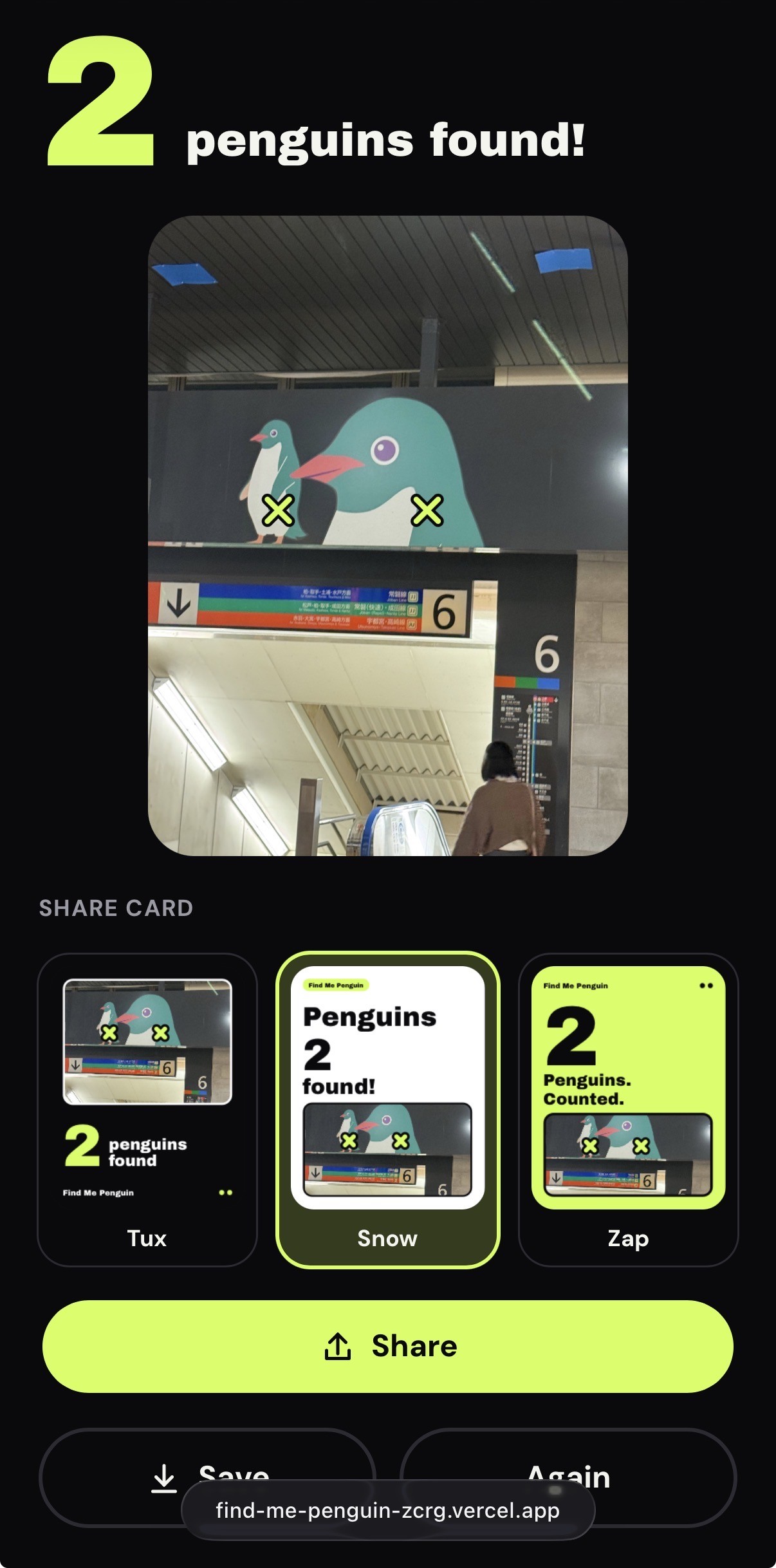
1. Claude Design gives you screens, not constraints
I used Claude Design for the screens, the share cards and the mascot: a penguin with a magnifier and tally marks on its belly.
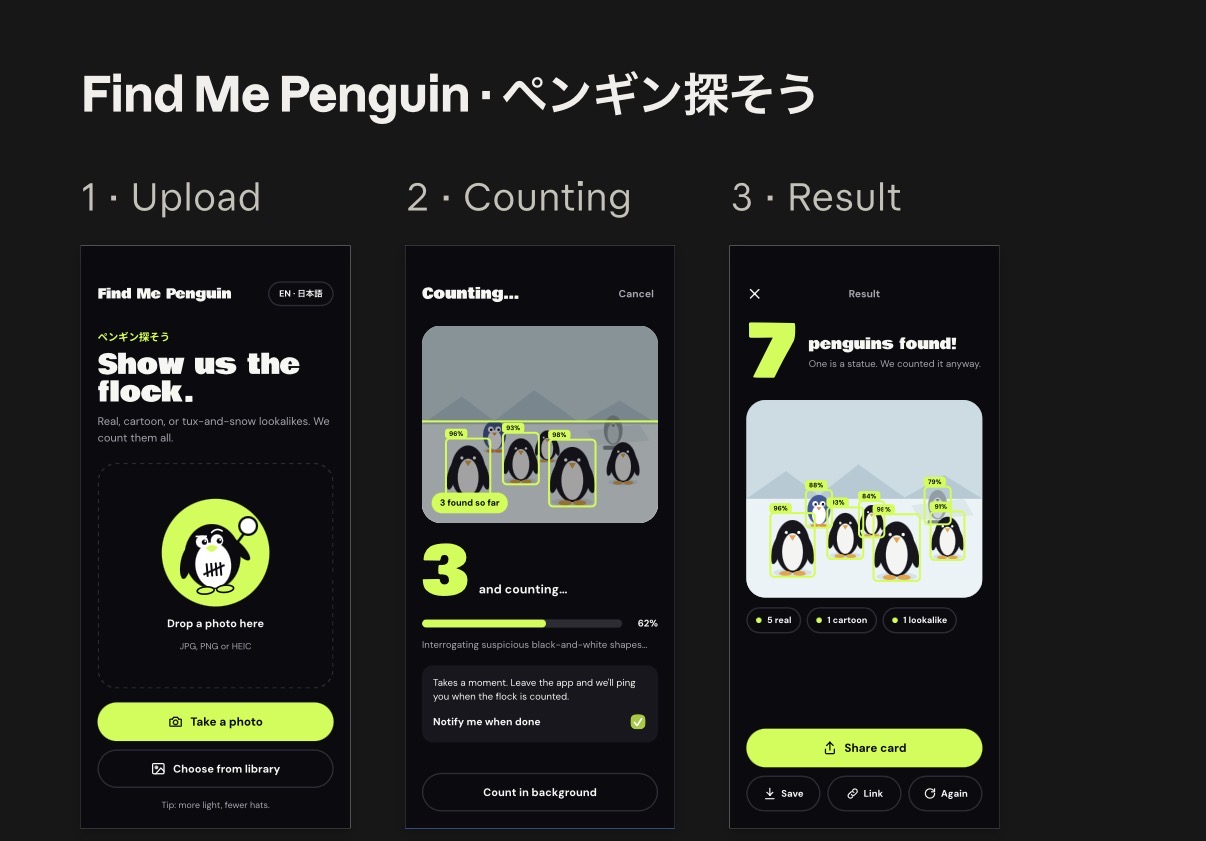
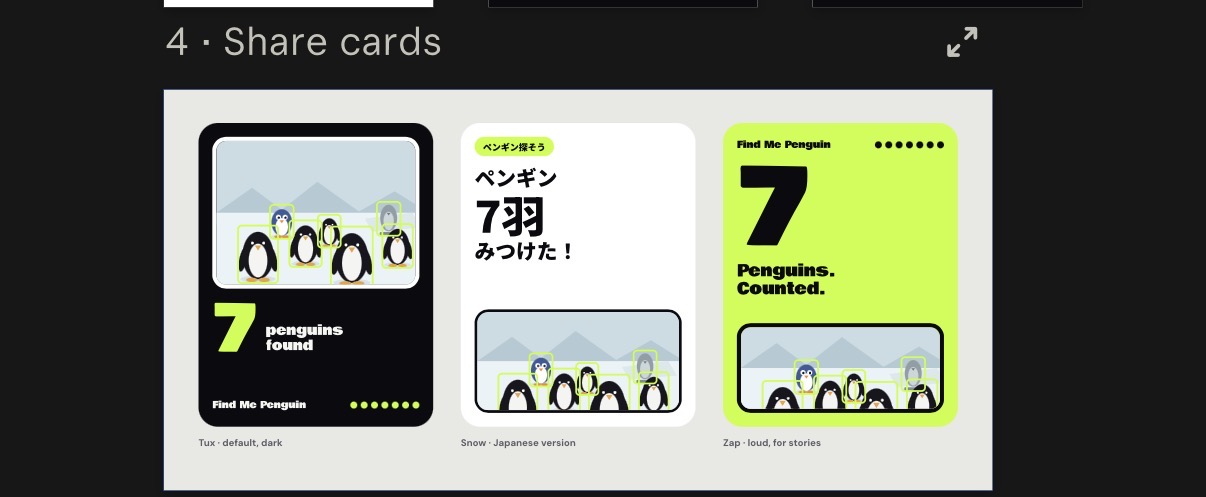
The mockups were good enough to build from. But they showed things the app couldn’t honestly do:
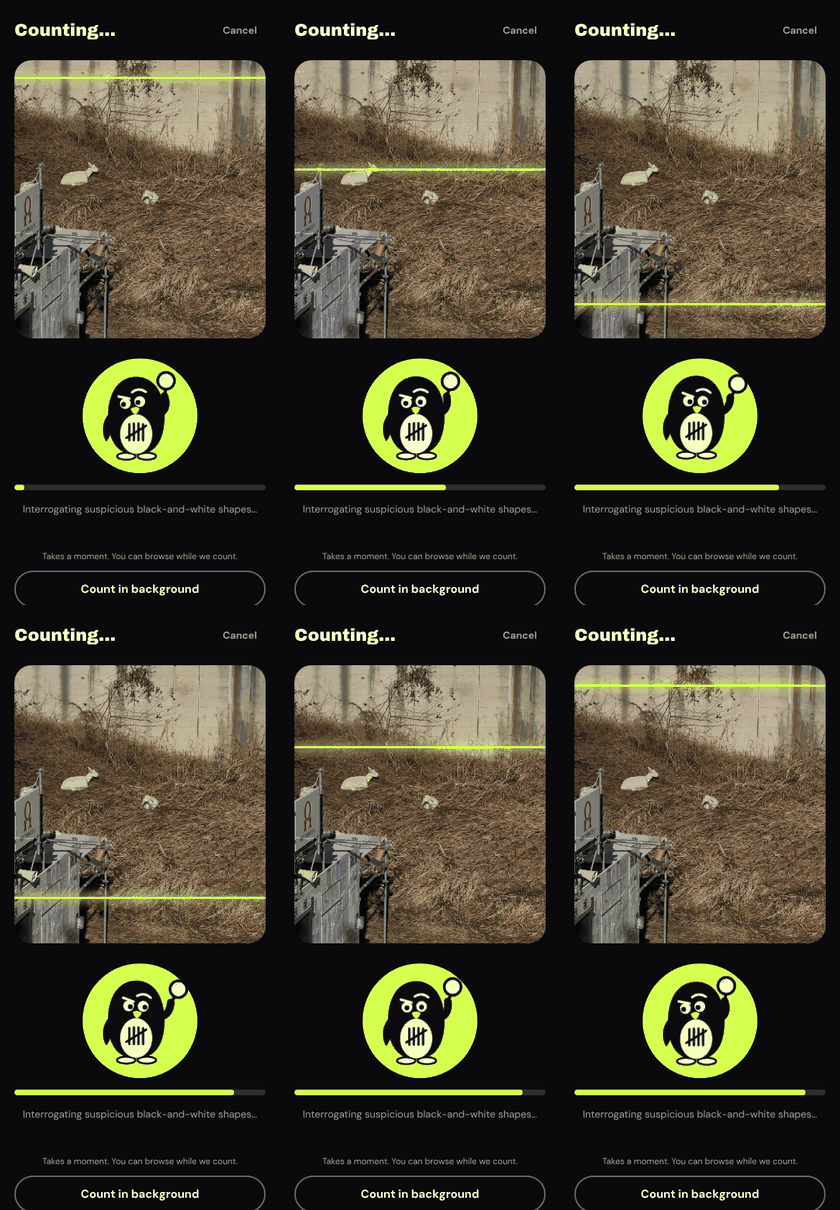
- A live “3 found so far” counter. The model answers once, at the end. So it became a short fake progress animation.
- “Notify me when done” and a shareable result link. Both need accounts and storage. I dropped them. “Count in background” became a small chip on the start screen.
- Boxes with a confidence percentage on every penguin. I used a simple X instead, and no percentages. The model’s confidence isn’t calibrated, so showing a number felt like making one up.
The design also came as pictures only. No color codes, no SVG of the mascot. So the lime was picked by eye from a screenshot, and the mascot was redrawn as SVG. Next time I’ll ask the design tool for the tokens and assets up front.
2. Two services were enough: Vercel and Upstash
flowchart LR
    PHONE["📱 Browser<br/>• resize photo<br/>• fix rotation<br/>• strip GPS"]
    VERCEL["Vercel<br/>serverless<br/>/api/count"]
    UPSTASH[("Upstash Redis<br/>• rate limit<br/>• monthly cap<br/>• anonymous stats")]
    CLAUDE["🤖 Claude Haiku<br/>count + locate"]

    PHONE -- "JPEG" --> VERCEL
    VERCEL --> UPSTASH
    VERCEL -- "image" --> CLAUDE
    CLAUDE -- "JSON points" --> VERCEL
    VERCEL -- "count + points" --> PHONE
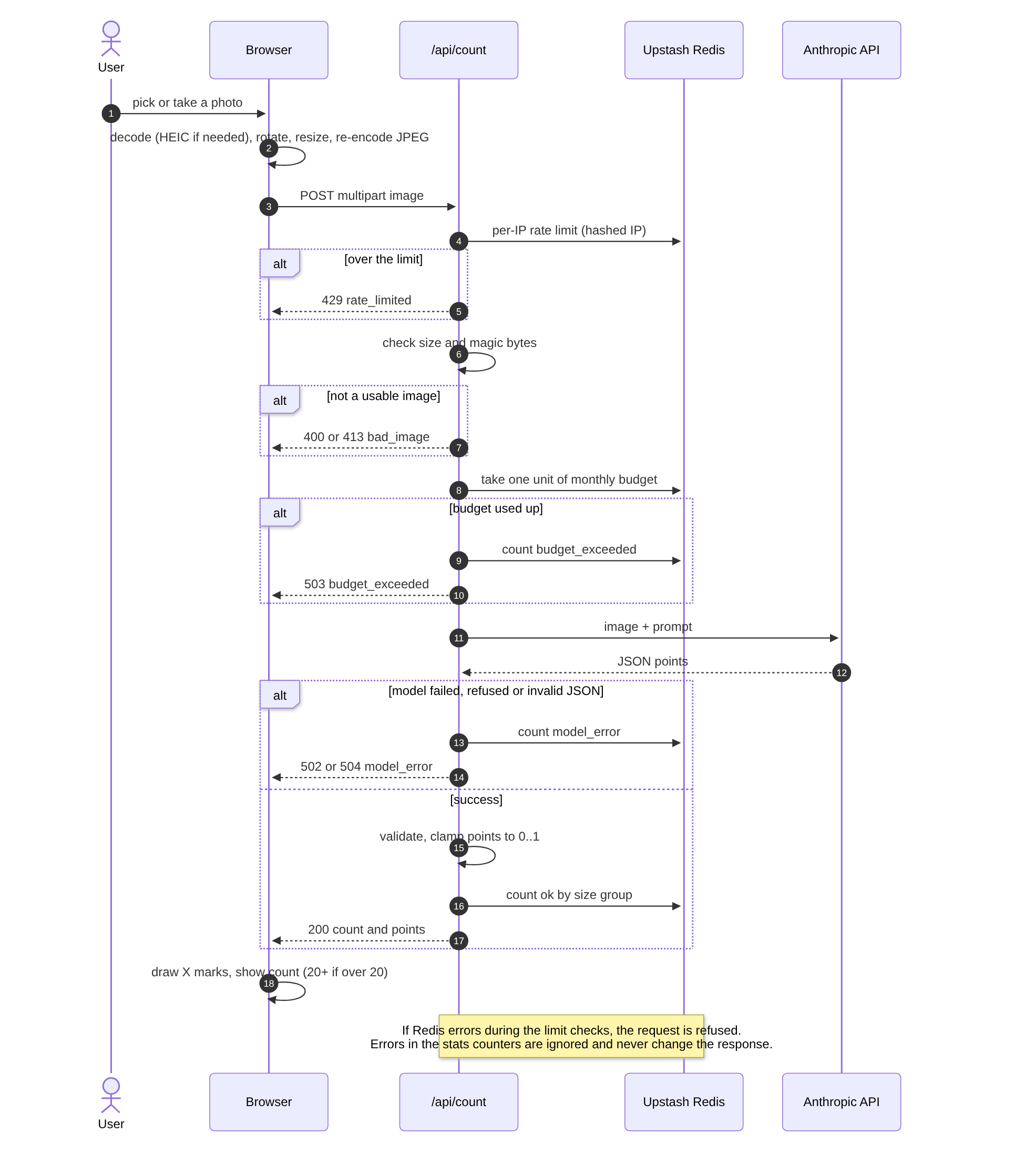
Vercel hosts the site and runs the one API route. Every push deploys by itself. Upstash is there because serverless functions have no memory between requests, so something has to remember how many photos each person sent. It keeps a rate limit (5 a minute, 40 a day), a monthly cap on model calls, and anonymous daily totals. No accounts, and photos are never stored.
Things that bit me:
- Environment variables only apply to the next deployment. Add them, then redeploy.
- Check the variables are set for both Production and Preview.
- In production the app refuses to count unless Upstash is configured. Annoying while testing, but it means the paid model can never run without limits.
- Next.js tried to pre-render my private stats route at build time, which would have frozen its answer. It had to be forced to run per request.
- Use a dedicated API key with a spend limit ($5 for me), and keep keys out of chats.
3. Haiku for image tasks
I used claude-haiku-5-5 as the “eyes”. One request per photo, and it answers with a list of points, one per penguin. The count is just the number of points.
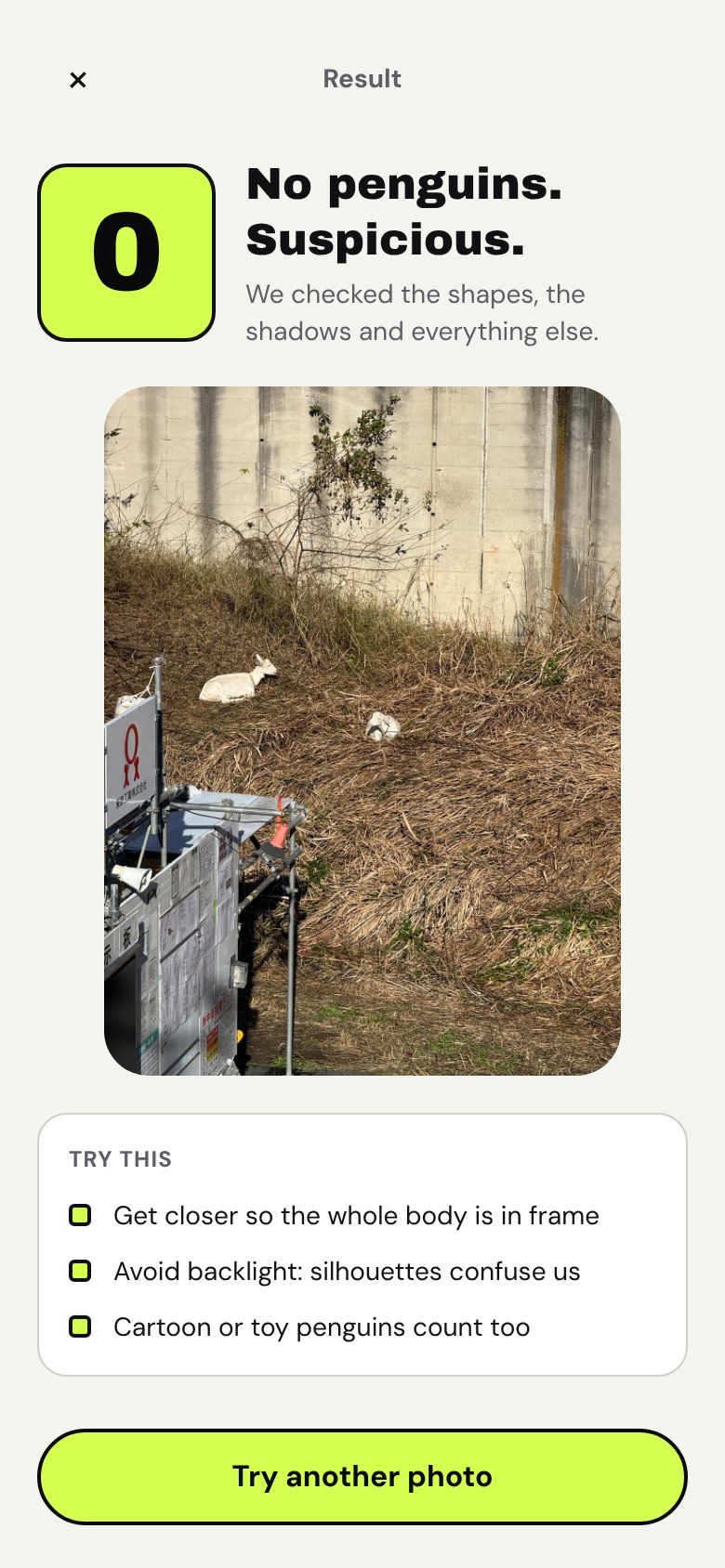
Before trusting it I made 15 test photos with the right answers: 9 with penguins (a cartoon one, a reflection, a dense colony) and 6 without (my dog, pavement, three goat photos, an indoor football game). Then I ran the whole set three times.
| Run | Correct |
|---|---|
| 1 | 14 / 15 |
| 2 | 14 / 15 |
| 3 | 15 / 15 |
- No false positives in 18 checks on photos with no penguins. The goats didn’t fool it.
- Close-ups were right every time.
- Crowds are where it wobbles. A colony of about 55 came back as 35, 41 and 57 on different runs, and the X marks often landed on bare ground.
So the app says “20+” with a confused mascot and doesn’t draw any marks above 20. Pretending to be exact would be worse than admitting it.
Haiku is cheap. By list price I’d estimate roughly a tenth of a cent per photo. I haven’t measured it yet.
I haven’t tried it for OCR in this project. It’s the same shape of problem though: image in, JSON out. I’d start the same way: a tiny set with known answers, run it three times, and look at how much the answers move.
The short version
- A design tool gives you screens. You still have to check what the code can really do.
- Serverless needs a small store for limits. Upstash was enough.
- Put the limits first, and make the app refuse to run without them.
- Test the model with a tiny set, more than once. Then design the screen around where it’s weak.